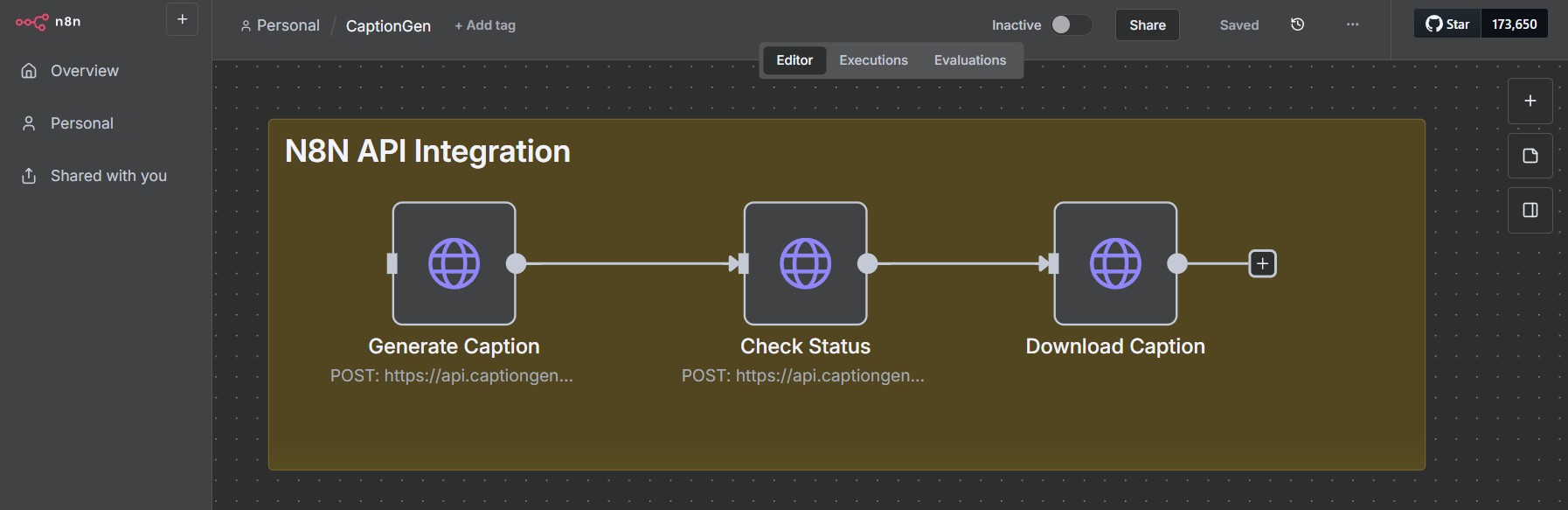
This guide walks you through integrating CaptionGenWizard API access into an n8n workflow so you can generate video captions automatically. The example workflow below will get you started: it covers configuring API credentials, sending a caption request, checking request status, and downloading the generated caption asset.
Configure HTTPS API request credential
Create an HTTPS node in n8n.
Make a POST request to the caption endpoint and set the request to use header authentication.
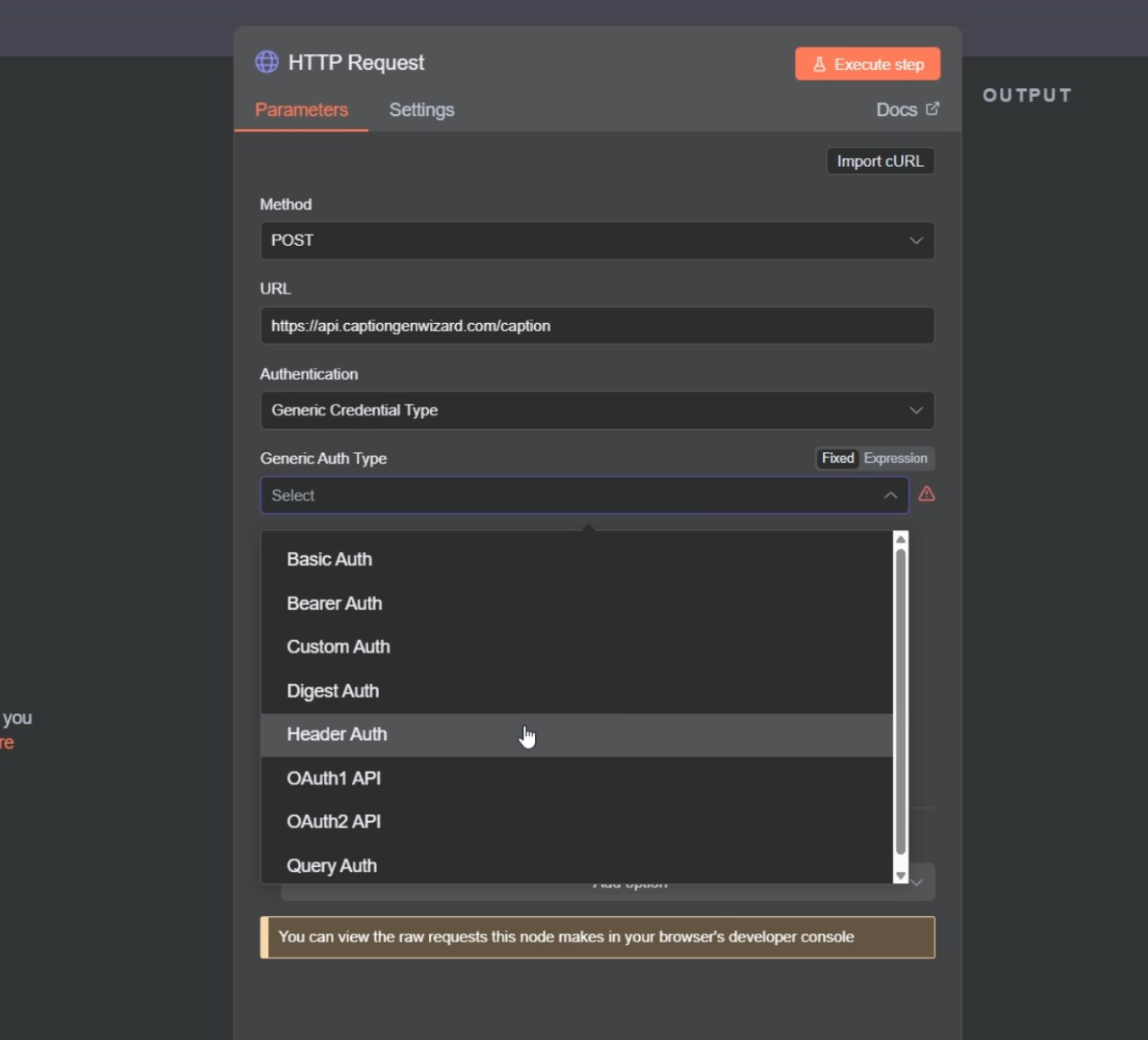
Create header authentication credential in n8n.
Use the header name based on the API documentation.
Create a free account in CaptionGenWizard and request an API key, then paste the API key as header value.

Populate request body
Provide the text and caption style for the required body fields based on the API documentation. You want to generate.
Run the request and test execution.
You should get a success message with a task ID.
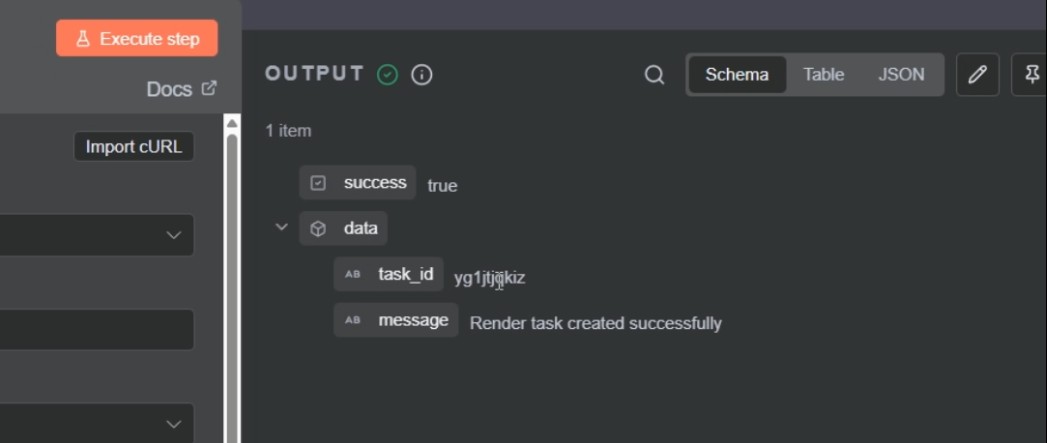
Check request status
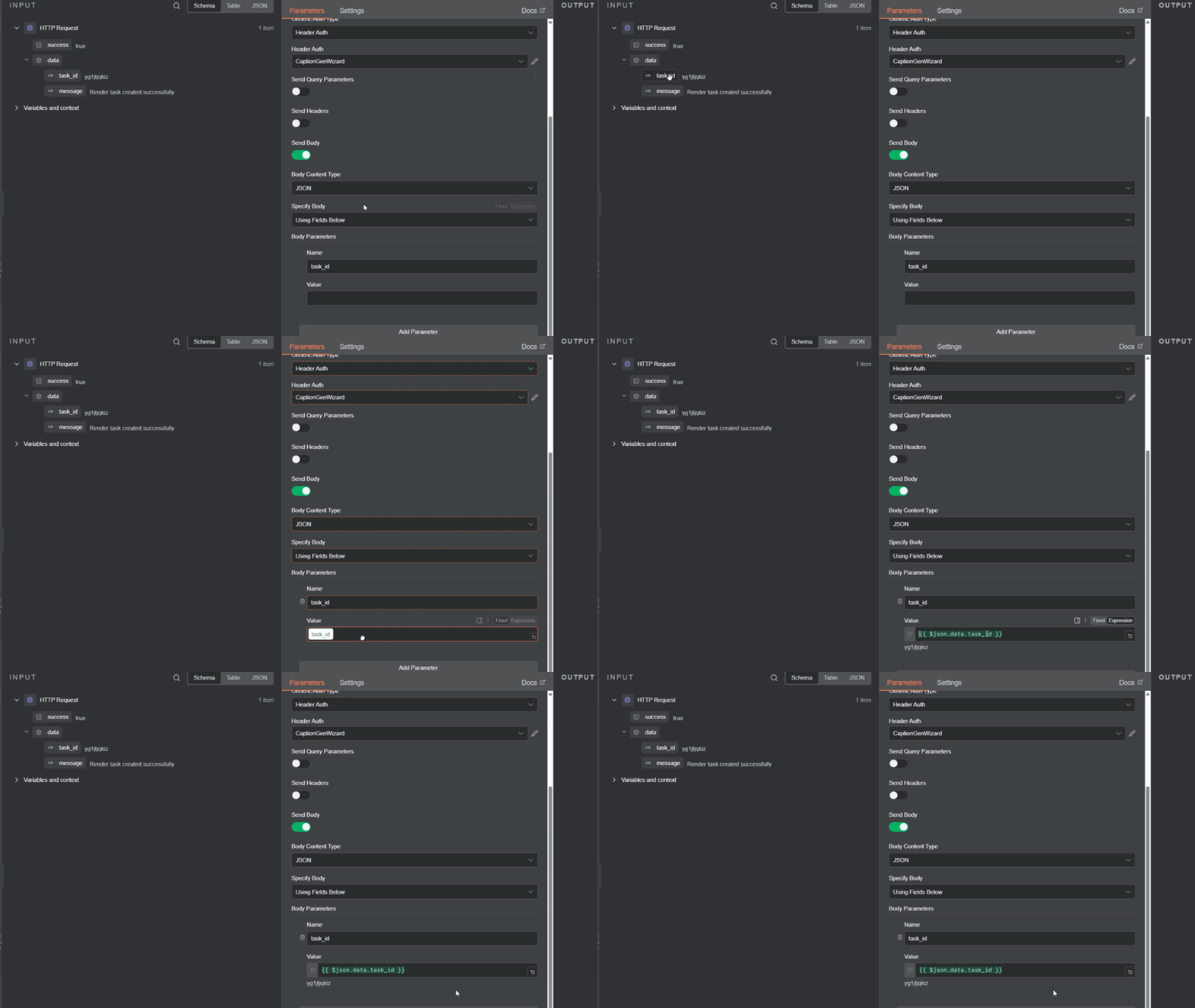
Make a POST request to the status endpoint. (You can copy caption request node to reuse header setup)
For the request body, add a task_id field as shown in the documentation.
For the task_id value, drag the output from the previous executed caption node.
If the request has completed successfully, you will get a status success with a URL where you can download the asset.
Download the caption asset
Create a new HTTPS node and make a GET request to the URL returned by the status node.
You do not need authentication for this request.
Execute this node to download the generated caption asset.
